Preview a watch on your wrist: style first, measurements separately
Upload a watch photo and a wrist photo to compare dial, case and strap styling. Confirm case dimensions and strap fit with the seller's measurements.
Choose the styling question
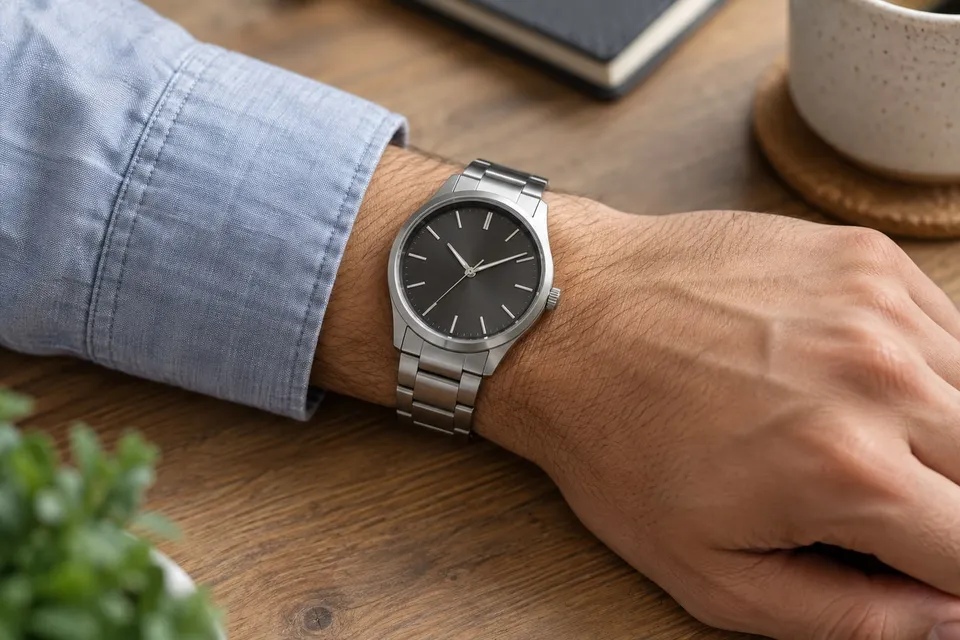
A watch preview can help you compare a dark or pale dial, a metal bracelet or a leather strap, and the overall look with your usual clothing. It does not measure your wrist or establish whether a case or strap will fit. Start with a concrete comparison, such as which dial you prefer with a shirt you often wear. Keep practical requirements, including comfort and fastening, in a separate note so an appealing image does not silently answer questions it cannot resolve.
Show the wrist and the complete watch
Choose Watches & jewelry and upload a clear product photo showing the dial, case and enough of the strap to identify the model. Add your own wrist photo by upload or camera, with the hand and some forearm visible. Remove an existing watch and move the sleeve away from the placement area. Confirm a square crop that leaves space around the wrist. Use a relaxed position in even light, and reuse the same photo to compare different watches or color variants.
Keep the request narrow
An optional request might say: ‘Place the watch on the visible wrist, with the dial facing the camera. Keep the hand and sleeve unchanged.’ This asks for a visual arrangement; it does not calibrate the watch to your wrist circumference. Compare a metal bracelet and a leather strap while keeping the case style similar, or compare dial colors within one model. If you change the pose, shirt and watch together, it becomes harder to say which difference caused your preference.
Check the details that identify the model
Enlarge the result and compare it with the uploaded product image. Look for changed dial markers, missing pushers, a different crown, altered strap attachments or an invented clasp. Also compare your hand, wrist width and sleeve edge with the original photo. A result that narrows the wrist or enlarges the hand is a poor reference for visual balance. Small lettering and dial details may be inaccurate; use the seller's photographs to judge those features. The preview is not evidence of authenticity or workmanship.
Use dimensions for the physical decision
Check the listed case width, thickness and length across the strap attachments where supplied. Confirm which dimension each number describes: a case diameter and a strap width answer different questions. Measure your wrist using the seller's instructions and check the adjustment range for the exact strap or bracelet. Two watches listed with the same case width can have different outlines and thicknesses, so the number alone is not a fit verdict. Compare with a watch you already wear and try the candidate in person when possible.
Finish with a wearing checklist
Save a preferred image with the exact model, case finish and strap variant in your own notes. Record a visual observation such as ‘the lighter dial works with this sleeve’, followed by the checks that still require product information or wearing the real watch.
- Dimensions: are the case measurements and strap adjustment range clear, with consistent units?
- Comfort: can you check weight, fastening, wrist movement and how the case sits under your usual cuff?
- Details: does the actual model retain the dial, crown and strap features that attracted you?
- Purchase: have you confirmed included links or strap options, adjustment arrangements and return conditions before ordering?
About this guide
Prepared with AI assistance by Focus Labs, the operator of VirtualTryOn.store. These guides explain the tool and practical purchase or integration checks; they are not independent product tests. External evidence is linked where used. Illustrations are AI-generated unless identified as product examples.